Ofivio — from onboarding to final delivery · Part 11 · Final delivery · Chapter 46 of 56
Deliverables and the delivery desk
How a deliverable is made, signed off inside the office, sent to the client against its payment, and accepted or sent back.
Deliverables and the delivery desk
A deliverable is something you promised the client: a drawing set, a report, a stage of the design. In the Studio it travels through two rooms. Deliverables is where the work is made and signed off inside the office. The Delivery desk is what leaves the office and what the client holds. The team does the work; the principal signs it off and sends it; the client accepts it or sends it back from their portal. Once the design is finalised, both rooms stay locked until the budget and then the scope of work are locked.
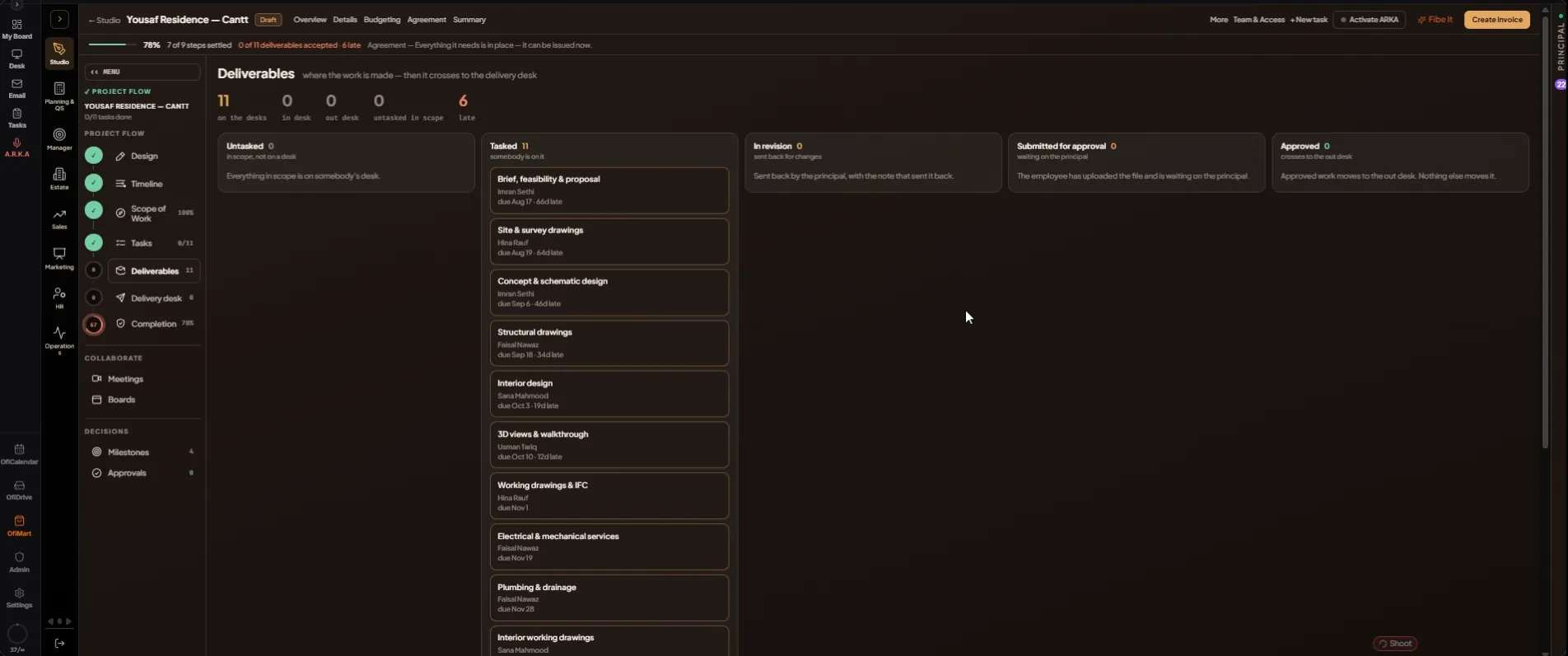
Deliverables: where the work is made
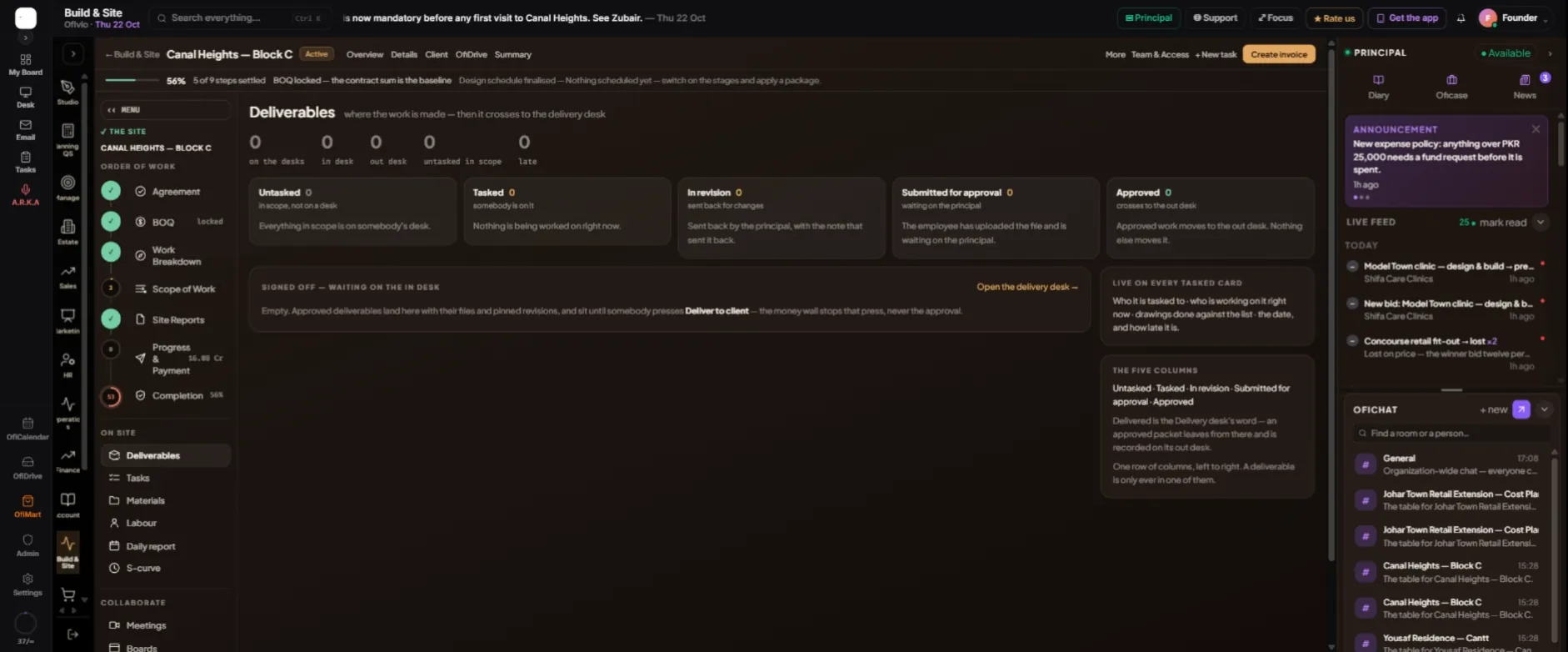
The board is one row of five columns, and a deliverable is only ever in one of them. A card shows who it is tasked to, the drawings done against the list, the date, and how late it is.
| Column | What it means |
|---|---|
| Untasked | In scope, but nobody is on it yet. |
| Tasked | Somebody is on it. |
| In revision | Sent back for changes, with the note that sent it back. |
| Submitted for approval | The file is uploaded and waits on the principal. |
| Approved | Signed off inside the office. It crosses to the delivery desk. |
- Task the work — In Scope of Work each line gets a person and a date. A line with a person on it shows under "Tasked".
- The team submits — The person tasked uploads the drawings into the project's folder, attaches them to their task and submits it. The deliverable moves to "Submitted for approval".
- Sign it off — As principal, find it under "WAITING ON YOUR SIGNATURE" and press "Approve the packet". It moves to "Approved" and waits under "SIGNED OFF — WAITING ON THE IN DESK". Then press "Open the delivery desk →".
The delivery desk: what leaves the office
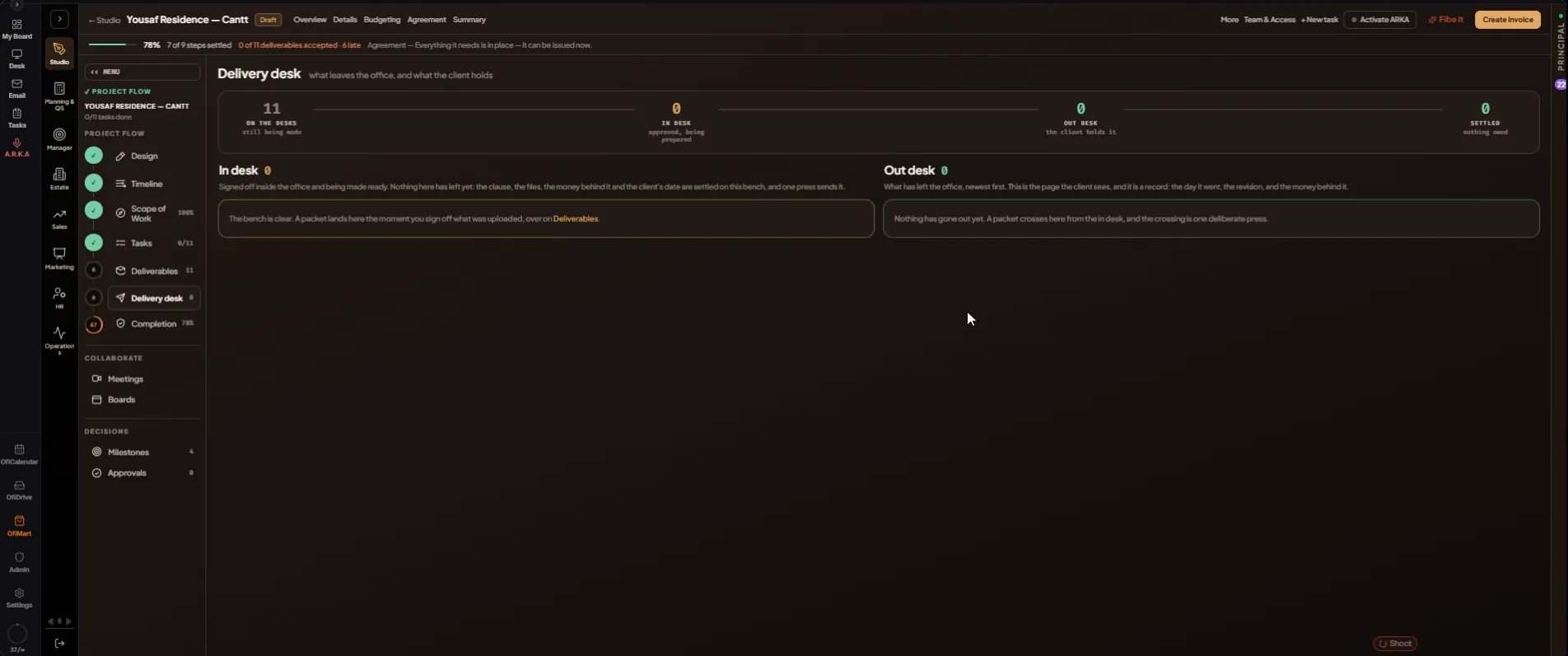
Across the top, the crossing reads ON THE DESKS (still being made) → IN DESK (approved, being prepared) → OUT DESK (the client holds it) → SETTLED (what is still owed). The in desk speaks of what is missing; the out desk is the record of what went.
- Read the check — Each in-desk card lists BEFORE IT CAN LEAVE: the files in the slots, the principal's signature, the client's email, and whether the milestones are clear. Clear what is red first.
- Prepare it — Under THE CLAUSE — IN THE CLIENT'S WORDS, say what this delivery is. Check WHAT GOES WITH IT with "Look". Set "The client's date", the date the client is promised; it cannot fall before the team's submission date.
- Bind the money — Under "The money behind it", pick the payment this delivery waits on, or "Bound to no milestone — it can leave freely". The client cannot download a delivery bound to an unpaid payment until it is paid.
- Send it — Press "Send it to the client". The card crosses to the out desk and reads DELIVERED.
- Send against an unpaid payment — If the payment is unpaid, a seat that may override sees "Send it against the money wall". Write why, in at least a sentence, and press "Send it anyway". The out desk records that it was "issued against the money wall".
Sending is the principal's act, or that of someone given release access in Settings › Team & Authority. It opens an approval for the client and emails them a notice to sign in to their portal; the email carries no file links. The out-desk card keeps the issue date, the revision, how early or late it went, what the client holds, and whether its payment is paid or still owed.
The client accepts
- The client opens it — In their portal, "Files" › "Issued to you" lists every set, and "Approvals" holds the card with "Open the submission".
- Held for payment — A set bound to an unpaid payment reads "Opens after" that payment, and its files offer "Pay to open". Once the payment is confirmed, "Open" and "Save" appear.
- Approve or send back — "Approve", then "Sign and approve" with their full name, accepts it and files a signed certificate. "Send back" returns it to "In revision", reopens the task with their note and reopens the delivery at the next revision, to be signed off and sent again.
Untasked → Tasked → Submitted → Approved → In desk → Out desk → Accepted