Ofivio — from onboarding to final delivery · Part 9 · On site · Chapter 43 of 56
Earned value and the S-curve
Read the site’s Overview and S-curve: planned value, earned value, actual cost, and the indices that say whether you are on time and on budget.
Earned value and the S-curve
Earned value answers two questions in money: are we on time, and are we on budget? Every site's Overview shows the figures, and the S-curve room draws them over the life of the programme. They fill themselves from what you have already done — the programme from the Work Breakdown, the progress and labour from the daily reports.
The principal, the project manager and the QS read them weekly, after the daily reports are in. Nothing here is typed; if a figure looks wrong, the cause is in a daily report or the programme.
| Figure | What it is |
|---|---|
| Planned Value (PV) | The budget for the work that should be done by today: each activity’s planned cost spread over its planned dates. |
| Earned Value (EV) | The budget for the work actually done: each activity’s planned cost × its per cent complete from the daily reports. |
| Actual Cost (AC) | What the work has cost so far: the labour the daily reports have booked. |
| Budget at Completion (BAC) | All the activities’ planned cost — your Engineer Estimate, not the contract sum. |
| SPI = EV ÷ PV | Below 1, behind schedule. Above 1, ahead. |
| CPI = EV ÷ AC | Below 1, over budget. Above 1, under. |
| SV = EV − PV · CV = EV − AC | The same two answers as amounts; negative is bad. |
| EAC = BAC ÷ CPI · ETC = EAC − AC | The forecast cost at completion, and what is left to spend. |
| VAC = BAC − EAC | The forecast saving (positive) or overrun (negative). |
| TCPI | How efficiently the remaining work must be done to finish on budget. |
- Open the Overview — Open the site; Overview is the first tab across the top. The Order of Work strip names the next step on the site, with an "Open …" button.
- Read the four tiles — "Overall progress" (earned value as a share of the budget, and activities done), "Schedule" (day so many of the programme, and days remaining — or days past the planned finish), "Budget at Completion" with the EAC under it, and "Activities".
- Read the indices — Under "EVM indices", SPI and CPI are coloured by verdict. "Project needs attention" appears when either falls below 0.9.
- Refresh or export — "Recompute" works the figures out again from the activities now; they are also recalculated after each daily report and once a day. "Export bundle" makes one PDF on your letterhead: earned value, cost breakdown, activities, materials and labour.
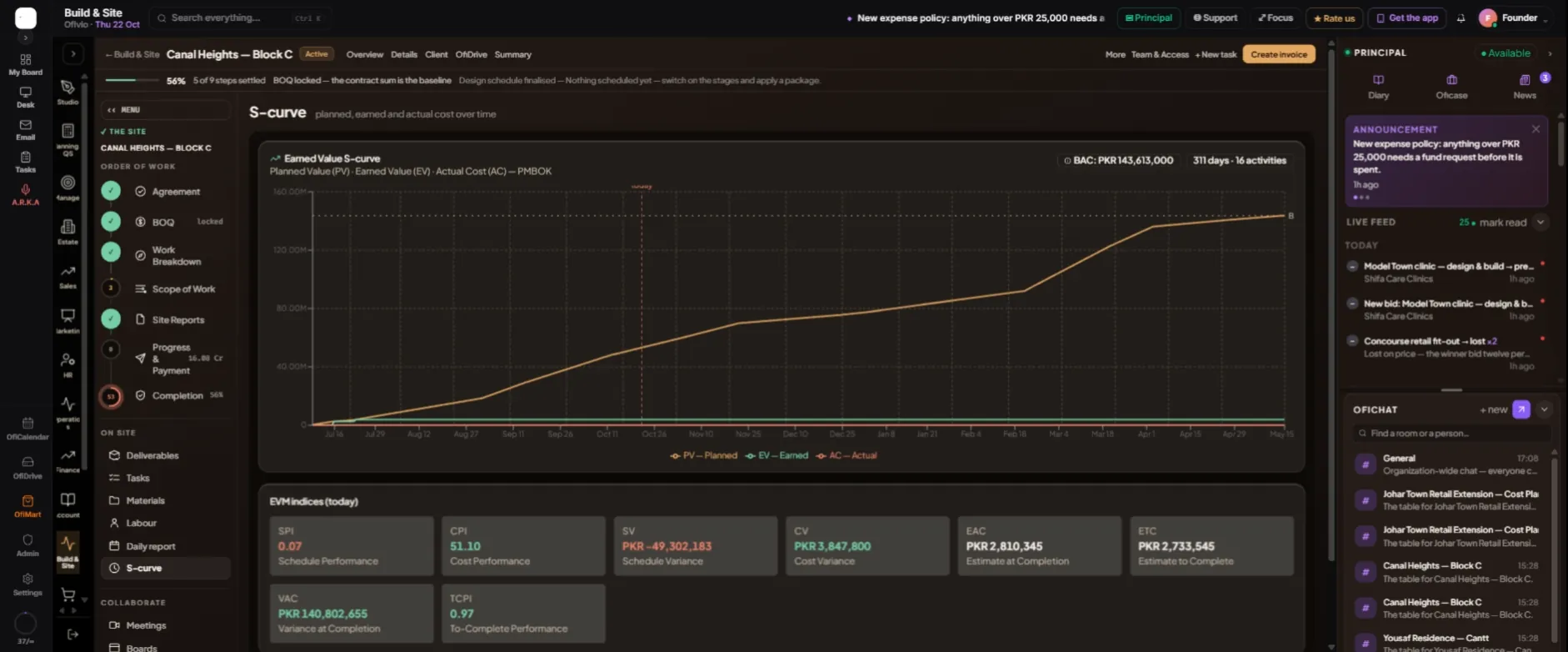
- Open the S-curve — Page rail › "S-curve". The three lines run across the programme, with a dotted BAC line at the top and a red line for today. Hover any date to read its three values.
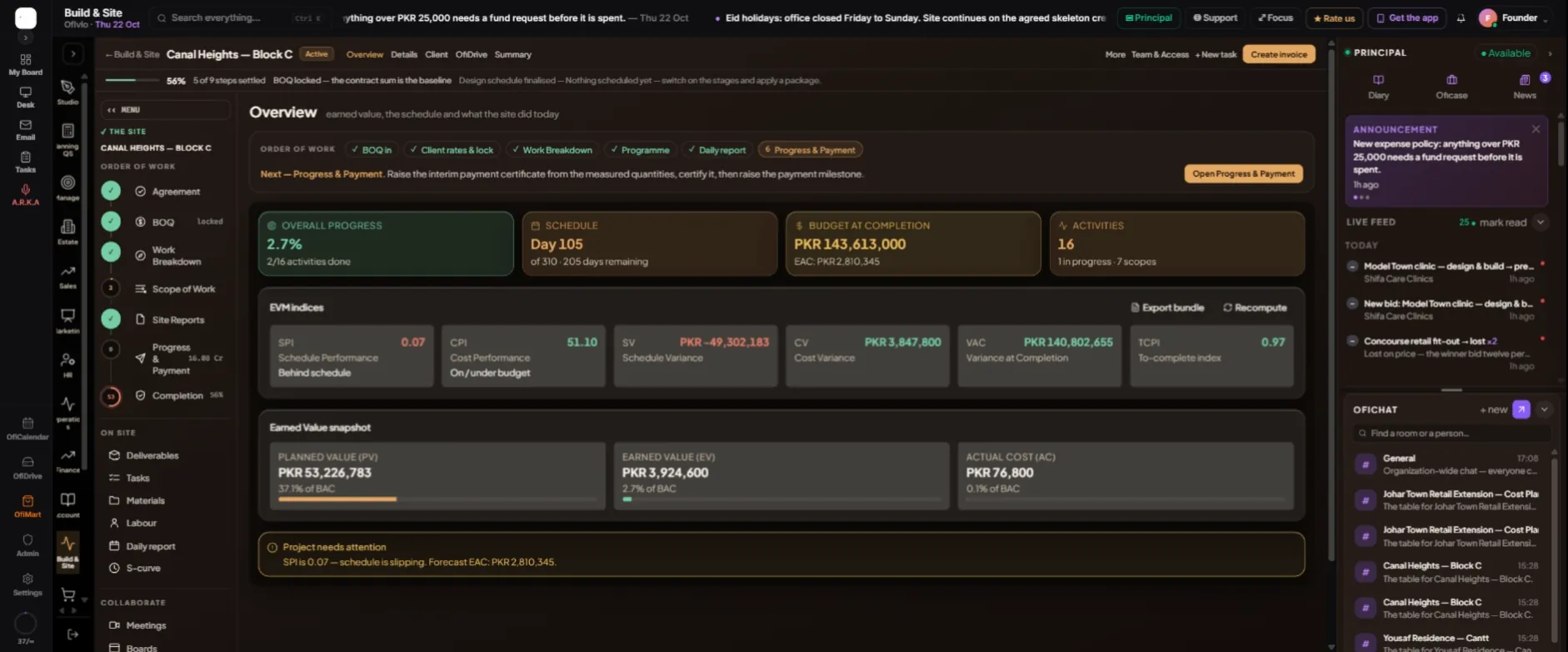
Read CPI with care. In the example only PKR 76,800 of labour has been booked against PKR 3.9 million of work earned, so CPI reads 51.10 and the forecast at completion falls far below the budget. That is not a cheap job: it means cost is not being recorded yet. When crews are reported every day, actual cost catches up and CPI comes back to a figure you can act on.