Ofivio — from onboarding to final delivery · Part 9 · On site · Chapter 41 of 56
Materials and labour on site
Follow each BOQ line from purchase to stock to site, issue stock to an activity, and read planned against actual crew-hours.
Materials and labour on site
Two rooms compare the plan with what is happening. Materials follows every BOQ line from the bill to the site — required, procured, stocked, issued — so you can see which activities cannot start for want of material. Labour sets the hours your crews actually worked against the crew plan of each activity, and the cost of both.
The site manager reads them every week; the storekeeper issues stock from Materials; the QS and the principal watch the labour cost. Both rooms fill from records made elsewhere: purchases and stock from Procurement and the Warehouse, hours from the daily reports.
| Status | What it means |
|---|---|
| Not procured | Nothing bought for this line yet — the activity cannot start on it. |
| Awaiting stock | Bought, not yet received into the warehouse. |
| Stocked | In the warehouse, not yet issued to the site. |
| Issued ✓ | Issued to the activity in full. |
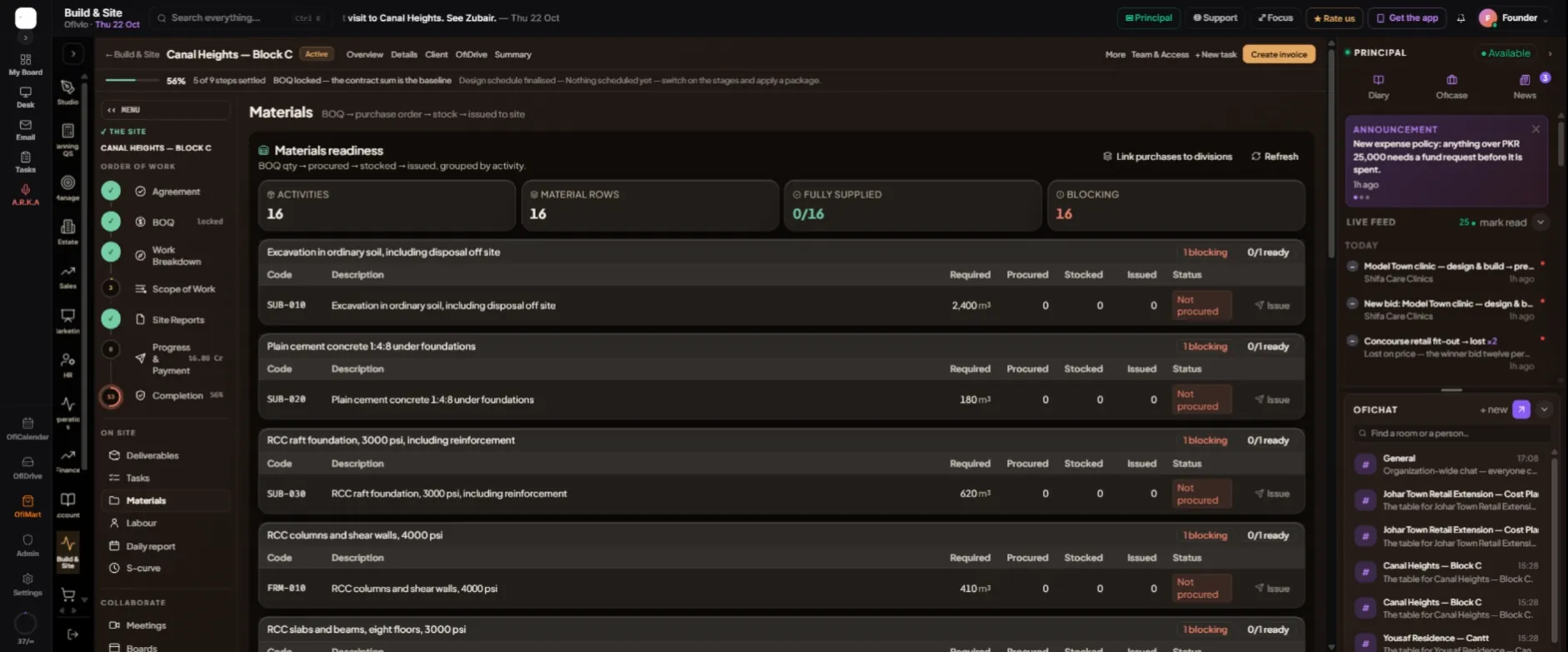
- Open Materials — Page rail › "Materials". Read the four counters first — "Activities", "Material rows", "Fully supplied" and "Blocking" — then the rows grouped by activity: Code, Description, Required, Procured, Stocked, Issued, Status.
- Buy what is blocking — Purchase orders raised in Procurement for this site’s BOQ lines fill Procured; goods received into the warehouse fill Stocked. The next part of the guide covers both.
- Link purchases if they are missing — "Link purchases to divisions" files this site’s purchases under their BOQ divisions, from the BOQ line each one was bought for. Press it when a purchase does not show against its activity, then "Refresh".
- Issue stock to the activity — Press "Issue" on a stocked row. In "Issue stock to activity" pick the "Inventory item" ("Pick from warehouse…"), enter the "Quantity" and optional "Notes", then "Issue stock". The dialog shows how much is still needed and refuses more than the warehouse holds.
Issuing stock is the stores' act: a principal, manager, stores, procurement or Build & Site seat can do it. The issue is stamped with the activity and the BOQ line, so the row moves to "Issued ✓" and the warehouse balance drops.
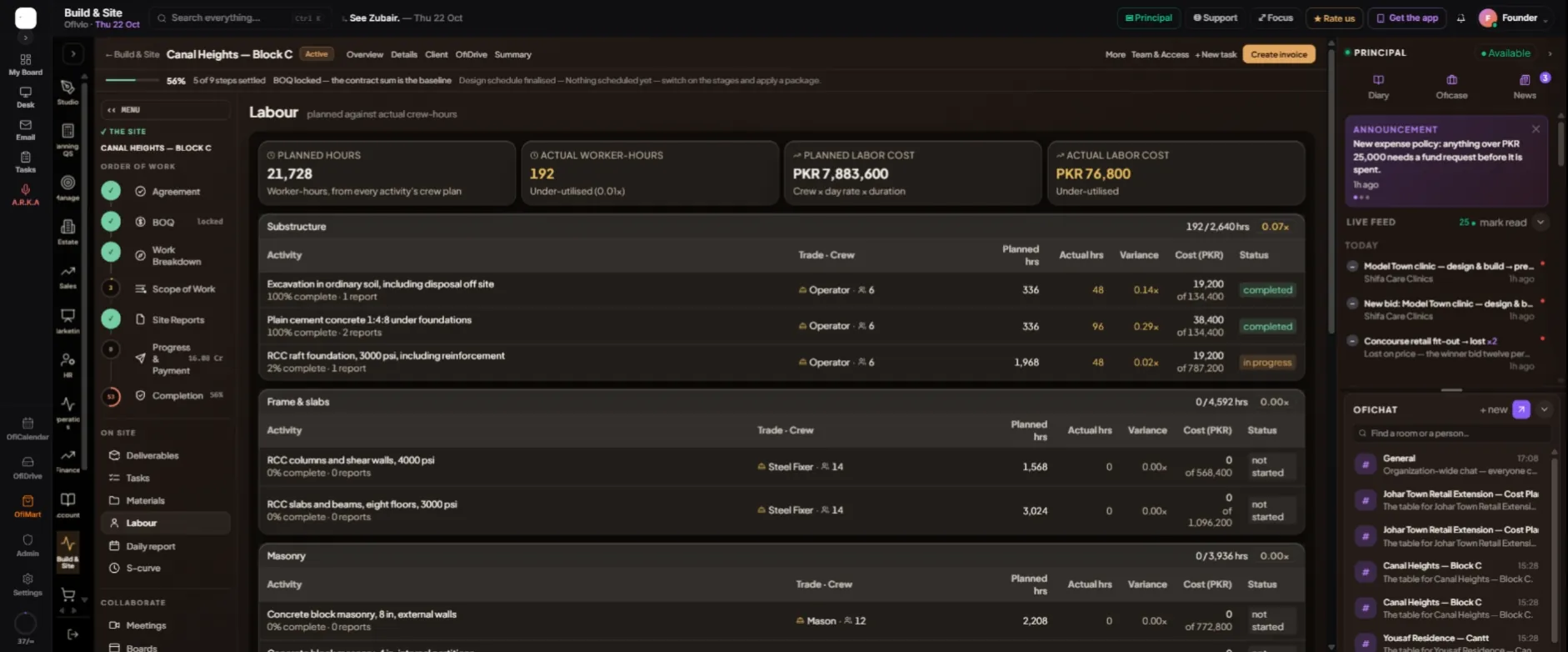
Labour opens on four tiles. "Planned hours" are the worker-hours from every activity's crew plan — trade, crew size and rate, set when the Work Breakdown generated it. "Actual worker-hours" are the crew on the day times the hours, from the daily reports. "Planned labour cost" is crew × day rate × duration; "Actual labour cost" is what the daily reports have booked so far.
Below, each scope lists its activities with "Trade · Crew", "Planned hrs", "Actual hrs", "Variance" (actual over planned), "Cost (PKR)" against its planned cost, and the activity's status. A variance below 0.85 reads Under-utilised, 0.85 to 1.1 On plan, above 1.1 Over-utilised. An activity planned from its BOQ lines has no crew plan and says so.