Ofivio — from onboarding to final delivery · Part 8 · Quantities and cost · Chapter 36 of 56
Variations
Raise a variation the moment work changes, submit it, record the client’s answer and read what the contract sum moves by.
Variations
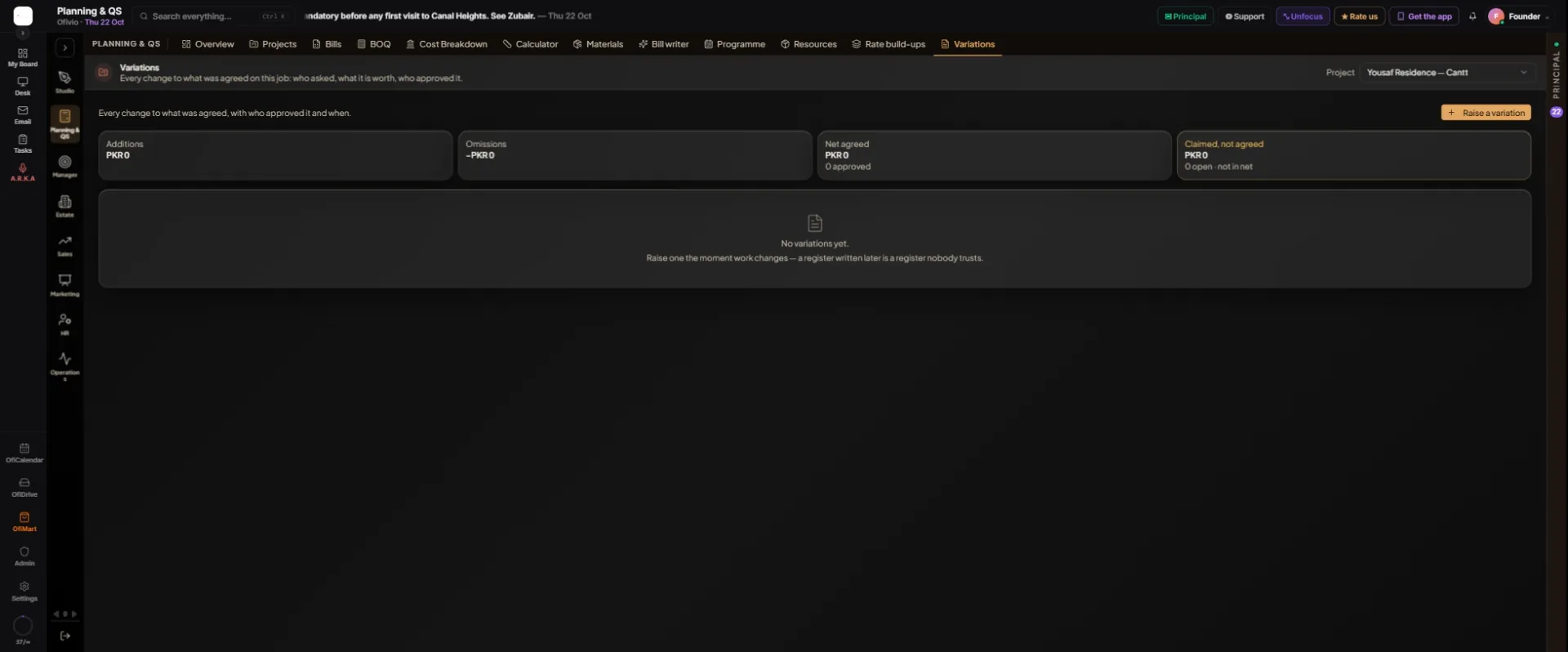
A variation is any change to what was agreed: work added, work left out, one thing swapped for another. The Variations tab keeps the register for each project: who asked, what it is worth, who approved it and when. Raise one the moment work changes. The screen puts it plainly: a register written later is a register nobody trusts. The QS, a manager or the principal keeps it, from the first change on site to the final account.
- Open the register — Open "Variations" and choose the job in the "Project" box at the top right.
- Raise it — Press "Raise a variation".
- Say what it is — Fill "Title". Choose the "Kind": "Addition", "Omission" or "Substitution". Choose the "Cause": "Client instruction", "Design change", "Site condition", "Statutory", "Error or omission" or "Other".
- Say what it is worth — Enter the "Value claimed, PKR". An omission is entered as a positive figure; its kind makes it negative.
- Add time and the paper trail — Fill "Extra days (EOT)" if the change adds time to the programme, the "Instruction ref" (the instruction number you were given) and a "Description". Press "Raise".
- Read its reference — The variation joins the register as a draft with its own reference, VO-01, VO-02 and so on for that project.
- Submit it — Open it from the register. A draft can be removed with "Delete draft". When it is ready press "Submit to the client".
- Record the answer — When the client answers, open it again. "Approve" asks for the agreed value, starting from the claim; change it if the figure was negotiated. "Reject" asks for the reason. "Withdraw" keeps it in the register, marked withdrawn.
| Status | What it means | What you can do |
|---|---|---|
| draft | Raised, not yet sent | "Submit to the client" or "Delete draft" |
| submitted | With the client | "Approve", "Reject" or "Withdraw" |
| approved | Agreed; the value is frozen | Nothing more. Correct it with a new variation |
| rejected | Refused, with the reason on its trail | It stays in the register |
| withdrawn | Taken back | It stays in the register |
Read the totals. "Additions" and "Omissions" count approved variations only, and "Net agreed" is what the contract sum moves by. "Claimed, not agreed" adds up the drafts and the submitted ones; it is shown apart and is not in the net. Rejected and withdrawn variations count in neither. Each variation keeps a trail: every step with its date, who took it, the value and any note.